


What Trantor® Imago solves
Imago exists to unify access and authentication policies, bring MFA to every application, and harden the most vulnerable part of the perimeter, such as the workstations.
Passwords everywhere
Users hate memorizing long passwords, let alone changing them every 90 days. With Imago you bring passwordless authentication to the whole company, using FIDO2 technology or client certificates.
Fragmented policies and audit
Each application enforces its own access rules and keeps its own logs, hoping that record even exists. You need a single place to define all the rules and see all the logs.
Inconsistent MFA, not always available
Some applications support MFA, others don’t; some reuse the MFA you already use elsewhere, others don’t. Users end up juggling several different 2FA channels, and on some applications cannot use it at all.
Legacy that holds modernization back
Maintenance-only apps won’t risk breaking their code for new login methods. Imago solves this in two ways: it exposes protocols such as LDAP and RADIUS, and with Imago 4Legacy it authenticates on a modern portal before landing users on the app.
Authentication doesn’t happen in your company
Many solutions force authentication through the vendor’s cloud: lock-in (FIDO2 at Windows logon requires the Microsoft Entra ID cloud, with no alternative) and no way to unify online and isolated departments.
Your fingerprint, without giving up the data
Many biometric systems store the fingerprint on a server or on the computer: a privacy nightmare. With Imago BioCard cards the fingerprint stays on the card, always with you, and you use it to authenticate everywhere.
“A server appliance to manage passwords, second factors, policies and logs in a centralized, uniform way. Imago brings modern authentication to every application, works even fully on-premise, and plugs into a system you already run, such as Active Directory.”
The components of the solution
A central appliance on AlmaLinux 10, plus the components that bring Imago where it is needed: onto Windows workstations, in front of legacy apps, at computer boot, and onto the card you carry with you.
Trantor® Imago Appliance
Central server based on AlmaLinux 10, on-premise on bare metal or virtual machines, x86 or ARM. Two or more appliances unlock load balancing and high availability.
Trantor® Imago CP
The credential provider for Windows 10/11 and Server 2019/2022/2025, x64 and ARM64: passwords, TOTP, FIDO2, OIDC device-code, passwordless and anti-coercion on Microsoft workstations. It does SSO with Imago PBA, works temporarily offline and over RDP too.
Trantor® Imago 4Legacy
The identity-aware proxy puts FIDO2/TOTP in front of legacy apps: the portal authenticates, the proxy lets users in with ephemeral one-time credentials. The legacy application never sees the user’s real password.
Trantor® Imago PBA
A small AlmaLinux 10 system installed alongside Windows: it authenticates at boot through Imago and unlocks the BitLocker of the Windows partition. Signed immutable images, data with LUKS2+TPM, installed by the Imago PBA Manager program with no ISO boot. With Intel Boot Guard or AMD PSB it also protects against firmware tampering.
Trantor® Imago BioCard
FIDO2 cards with on-board biometrics, natively integrated with Imago: the fingerprint stays on the card and is never transmitted to computers or servers.
LDAP/LDAPS (password or password+TOTP), RADIUS (password, password+TOTP, challenge-response or 802.1X with EAP-TLS/TTLS-PAP/TTLS-GTC/PWD/PEAP-GTC), OpenID Connect (PKCE, CIBA, device-code) and SAML 2.0. For user and group enumeration: LDAP/LDAPS and SCIM 2.0.
As an authentication source: LDAP/LDAPS, RADIUS (802.1X and challenge too), OpenID Connect (device-code, PKCE, CIBA) and SAML 2.0. For user and group enumeration: LDAP/LDAPS, SCIM 2.0 or file import.
MFA and passwordless
Second factor managed locally with TOTP or FIDO2, or through an external MFA server via API. FIDO2 can be the only factor for passwordless access, handy with BioCards that unlock by fingerprint. MFA reaches legacy apps that speak LDAP or RADIUS, too.
Anti-coercion system
A user can discreetly signal a login performed under duress: Imago immediately alerts the configured administrators. On Windows (with PBA or CP) it can also run a script that unmounts confidential drives and mounts decoy ones, for a realistic but harmless environment.
WiFi authentication with SecureWiFi
If you also run Trantor® SecureWiFi, you use Imago as the WiFi network backend: SecureWiFi configures Imago’s RADIUS/802.1X connector on its own and generates WiFi profiles for Windows, macOS, Linux, Android and iOS, so users configure nothing by hand.
Protocol and SSO proxy
Imago combines exposed protocols and protocols used towards realms, acting as a converter: an app connects in RADIUS+challenge and Imago talks OIDC+device-code to the realm; a passwordless FIDO2 app, and Imago queries Active Directory for the access token.
Imago BioCard
Full product name: Trantor® Imago BioCard. The biometric FIDO2 card of the range: NFC and smartcard readers, the credential is released at the touch of a fingerprint.
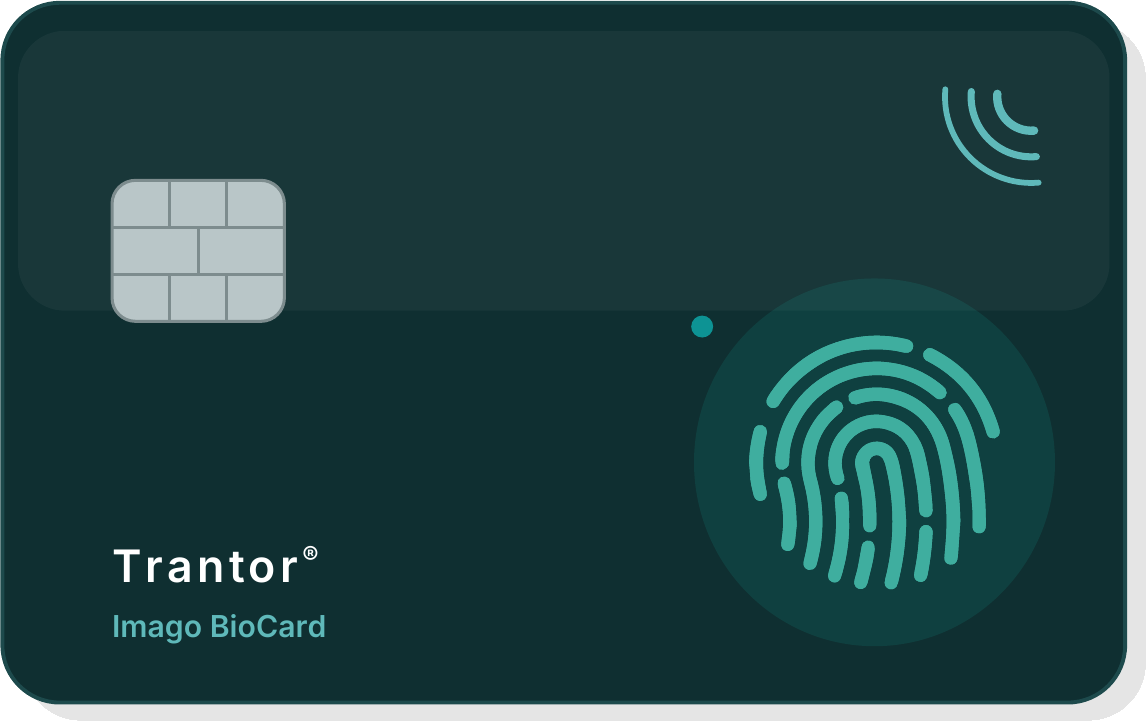
The sensor verifies the fingerprint on board: no biometric data travels over the network or ends up on a server. The card unlocks itself; Imago verifies the credential.
Trantor® Imago and the alternatives
Every alternative below is a serious product with real strengths. The useful comparison is not the feature list: it is where identities live, whether legacy is included or left out, and what happens when the link to the cloud goes down.
| SOLUTION | WHERE CONTROL LIVES | MFA AND PROTOCOLS | WORTH CONSIDERING |
|---|---|---|---|
Trantor® Imago Trantor® · Italy | On-premise server, in your network: no mandatory cloud, works in isolated environments too | TOTP and biometric FIDO2 card; passwords on your directory (any LDAP, Active Directory included) or via OIDC/SAML; modern SSO, proxy for legacy and secure boot with Imago PBA | One policy engine and one audit trail for every access point; credentials never leave the company; direct support from the development team |
Microsoft Entra ID Microsoft · non-EU | Microsoft cloud, not optional: even hybrid goes through Microsoft’s servers | MFA with Authenticator, FIDO2 and Windows Hello; OIDC/SAML SSO; legacy stays on the on-premise AD | The default choice in Microsoft shops, with MFA in the per-user P1/P2 plans; management, policies and identities live in the vendor’s cloud; no PBA; no proxy for legacy apps |
Okta Workforce Identity Okta · non-EU | Vendor cloud, not optional | Broad MFA catalog (push, FIDO2, TOTP); SSO across thousands of catalog apps; agents for AD and LDAP | The reference cloud IdP, with the widest ecosystem; per-user, per-module pricing; no PBA; no proxy for legacy apps |
Cisco Duo Cisco · non-EU | Cisco cloud, not optional | One of the easiest push MFAs to adopt; SSO in the higher editions; directories, RADIUS and LDAP require the Authentication Proxy | Fast adoption and a good user experience; per-user monthly fee, and the service depends on cloud reachability; no PBA; no proxy for legacy apps |
Keycloak open source · Red Hat | On-premise or in the cloud | Full OIDC and SAML, TOTP and WebAuthn/FIDO2 included; federation with LDAP and Active Directory | Maximum freedom and a huge community; hardening, updates and high availability remain the customer’s job, with commercial support only via Red Hat; no PBA; no Windows Credential Provider; no proxy for legacy apps |
privacyIDEA NetKnights · Germany | On-premise | Multi-token MFA server (TOTP, WebAuthn, smartcards); for SSO and access it relies on an IdP or on the PAM/RADIUS modules | The other European alternative, open source; a somewhat dated management UI; it covers the second factor more than the whole: SSO, self-service and legacy must be assembled piece by piece; no PBA; limited legacy support (e.g. TOTP as a password suffix) |
Positioning summary as of August 2026, from public sources. Every platform cited is a valid product in its own context of use; trademarks belong to their respective owners.
Trantor® Imago at a glance
What it offers your company
Modern SSO
OIDC and SAML for modern web applications and, through the proxy, for legacy ones.
Extended MFA
Offline TOTP, FIDO2 cards and tokens, and integration with external MFA services (for example SMS push).
Workstation access with MFA
Windows, Linux and macOS; TOTP or FIDO2, even on-premise and without any cloud.
Self-service portal
FIDO2/TOTP enrollment, password change and reset, second-factor reset.
Proxy for legacy
FIDO2 in front of apps that only speak LDAP or RADIUS.
Centralized log and policies
Every application, every authentication method, all with unified policies and audit.
How it ensures high security standards
Hardened appliance
The central server uses digitally signed immutable Linux images, LUKS2+TPM disk encryption, and root access disabled, allowed only through an emergency key kept in a safe.
FIDO2/WebAuthn authentication
A phishing-proof system with strong cryptographic properties.
Biometric cards
Imago BioCards keep the fingerprint on the card itself, and protect FIDO2 authentication using biometry in place of a PIN.
Modern protocols everywhere
Imago 4Legacy and Imago’s proxy features let you adopt modern technologies (like OpenID Connect with PKCE, SCIM 2.0 and FIDO2) everywhere.
Anti-coercion system
Because cybersecurity is strictly linked to physical security.
Imago speaks OIDC, SAML, RADIUS, LDAP, SCIM and WebAuthn: open standards at every level. Your authentication stays readable and verifiable, even without us.
Works with the rest of the ecosystem
SecureWiFi configures Imago’s RADIUS/802.1X connector on its own and generates WiFi profiles for every system.
The Imago appliance runs as a dedicated machine, or as a VM on TVirt, with snapshots and high availability.
Last updated: 10 August 2026. The contents of this page follow the brochure of that revision.
Let’s give your access a face.
Book a consultation now to map your company’s access: modern apps, legacy, VPN and workstations. And we’ll tell you what Imago can do for you.